Social Media Video Production and Streaming Company
Helping brands from “we should post something” to “have you seen this?”
Social Media Video Production
Your business is full of people, products and ideas worth showing.
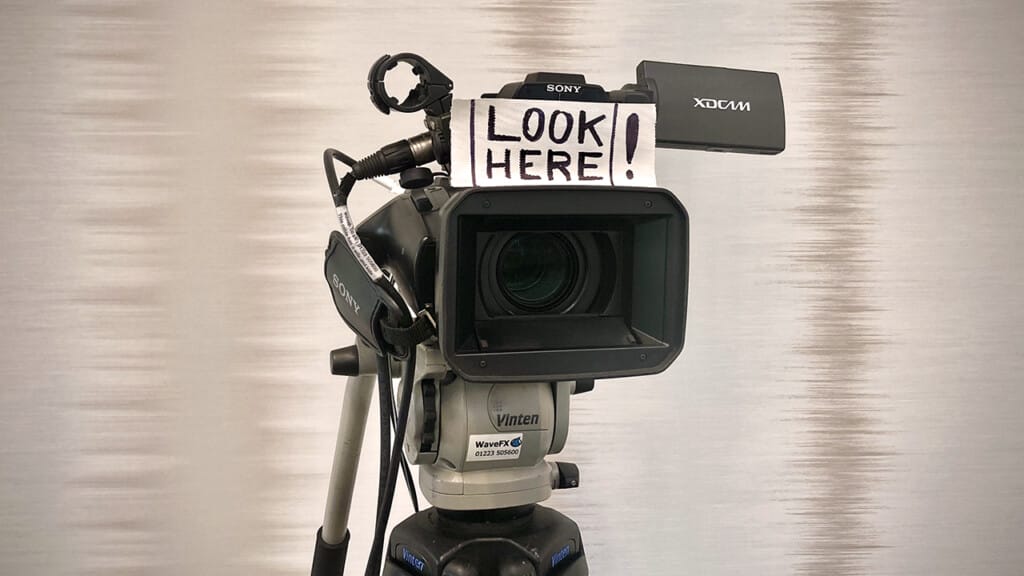
We help you find the stories and get them on camera. From customer interviews and product demonstrations to a look behind the scenes, we plan each shoot around your audience and the channels you use.
We’ll help with questions, filming and putting nervous contributors at ease.
One well-planned filming day can give your team a useful collection of social videos, ready to share over the weeks that follow.
Shorts & Reels
Do you have interviews, podcasts or event recordings sitting on a hard drive? There could be plenty of useful social content hiding in there.
We find the answers, demonstrations and moments that deserve their own audience, then build short edits around them. Think readable captions, clear openings and framing that suits LinkedIn, Instagram, TikTok or YouTube Shorts.
Each clip gets a purpose, rather than simply being a shorter film. We can also plan fresh footage to fill any gaps.
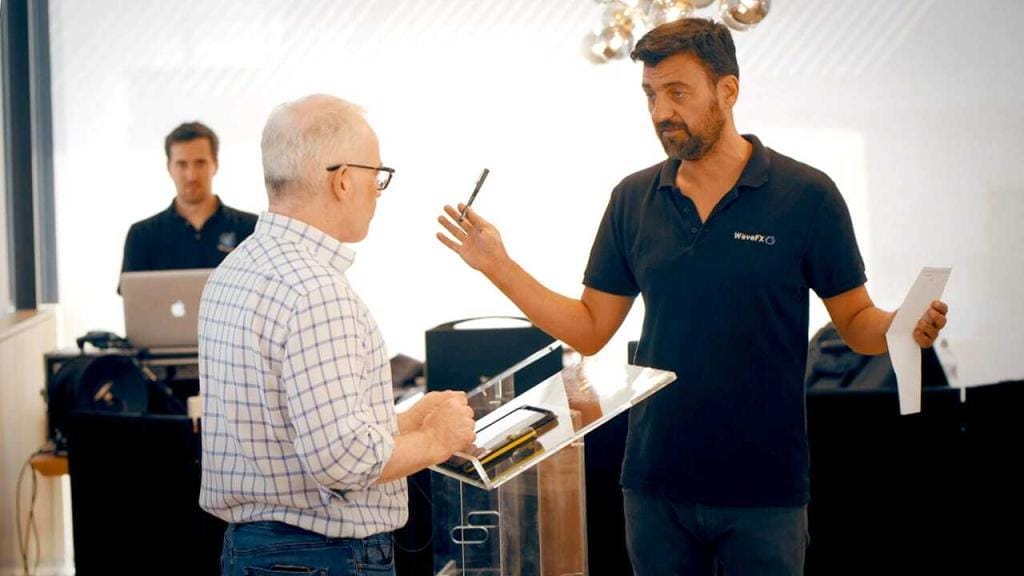
Social Live Streaming
A product launch, an expert interview or a lively panel discussion can reach people well beyond the room.
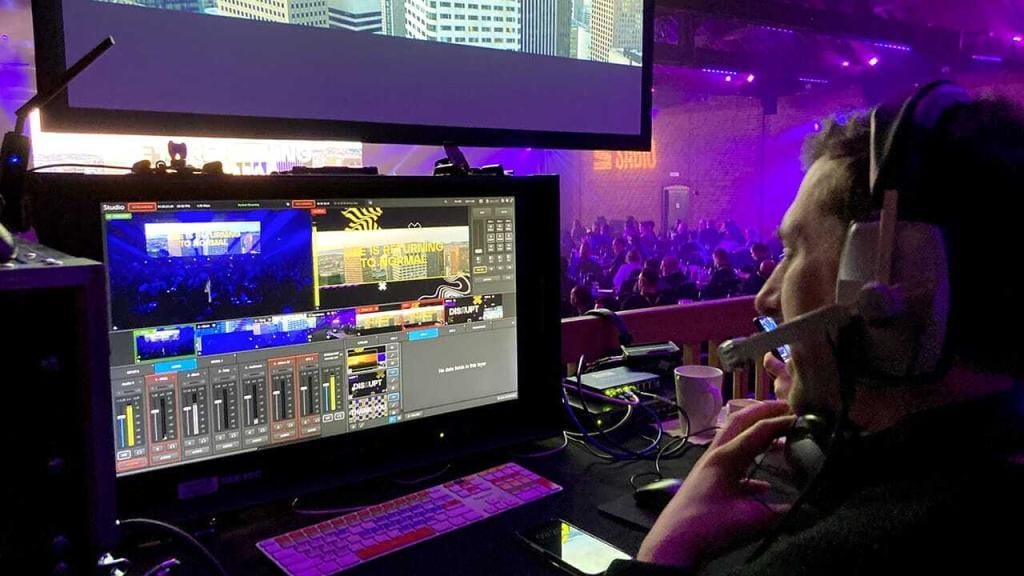
We handle the cameras, sound, graphics and live stream, helping your speakers feel prepared and your audience follow the conversation.
We’ll talk through the platform, internet connection and running order beforehand, including how questions will work. Afterwards, the recording can become highlights, individual answers and shorter social clips.
Make More of Every Shoot
Your next few weeks of social content could start with one well-planned filming day. A customer interview, product demonstration or event can give you plenty to share when we plan the different videos from the beginning.
We’ll help choose the subjects, prepare your contributors and capture footage for LinkedIn, Instagram, YouTube and TikTok. Each edit gets a clear purpose, suitable framing and captions, so it makes sense wherever someone discovers it.
How We Make Social Work
Last year we produced








Most asked social media video production questions
Yes, although each setting may need its own version. Planning those uses at the beginning helps us build an animation that can work beyond its first appearance.
Someone watching an explainer on your website has chosen to spend time with the subject. A person walking past an exhibition screen might only catch a few seconds. A social viewer may encounter the video without any background information.
We can plan for those different situations:
- Website explainers: a complete introduction with enough context to understand your product or service.
- Social clips: shorter sequences that concentrate on one point.
- Exhibition loops: animations that make sense without needing to watch from the beginning.
- Sales presentations: sections your team can pause, discuss or return to during a conversation.
Framing matters too. A wide animation may need adjustments for a vertical social feed, particularly if it contains labels, diagrams or several objects.
Simply cropping the finished film can remove useful information. Planning alternative layouts early gives us more control over what people see.
Should animation on our website have audio?
Sound is another consideration. An exhibition animation may need to communicate through movement and text, while a website version could include a voiceover. Captions can help viewers follow the explanation where audio isn’t practical.
We’ll agree the required versions, lengths and formats as part of the brief. Additional edits and layouts involve work, so it’s useful to include them in the budget from the start.
Suitable 3D models may also provide still images for presentations, product pages or displays. We can discuss those alongside the animation.
If you expect the product or information to change, mention that too. It helps us consider how future updates could be handled.
Tell us where your animation will appear and how your team intends to use it. We’ll help prepare the right versions and explain which file belongs where when it’s time to share.
AI can help with parts of an animation project, but whether it’s suitable depends on what the finished piece needs to do. Generating an interesting image is different from producing a sequence with consistent characters, accurate products and precise movements.
For some projects, AI tools can help explore ideas or develop supporting imagery. For others, the need for control makes conventional illustration, modelling and animation a better fit.
And that’s where a professional animation company comes into the mix, we look at the brief before choosing the tools:
- Technical accuracy: does the product or process need to behave exactly as it does in reality?
- Consistency: must the same character, object or setting remain recognisable throughout?
- Brand requirements: are there specific colours, typefaces, layouts or design rules to follow?
- Revisions: will your team need precise changes to individual details later?
A generated sequence might suggest a promising visual direction but still need considerable work before it belongs in a finished film.
For product demonstrations, technical explainers and medical subjects, small visual errors can change the meaning. Those details need checking by the right people, whichever production method is used.
What’s the role of a professional animation company?
Our role as a professional animation company includes developing the explanation, planning the scenes, choosing the visual approach and managing the production. It also includes listening to feedback and making the finished piece work as a whole.
AI may complement that process. We’ll discuss where it could be useful and where it could introduce limitations.
You don’t need to decide whether your project should be “AI” before approaching us. Start with what you want to show, the audience and the budget.
We can then talk through the options in plain English. Sometimes the answer will be 2D animation, sometimes a detailed 3D model, and sometimes a combination of filmed footage, animation and selected AI-generated material.
The important thing is choosing an approach you can trust to communicate the subject clearly.
Yes animation with real filmed footage can be a useful way to connect an explanation to something people recognise. Viewers can see the real product, person or environment, then follow the animation into the detail a camera cannot capture.
For example, we might film an operator using a machine before switching to a 3D view of the mechanism inside. Animated labels could identify the components and explain each stage of the process.
There are several ways to combine them:
- Graphics over footage: add titles, diagrams, measurements or labels.
- Transitions into 3D: move from a filmed product to a model showing its internal workings.
- Animated sections between interviews: illustrate what a contributor is describing.
- Visualisations within filmed environments: show how a proposed change could look in context.
The most effective approach is usually planned before filming. Camera position, lighting, movement and framing can all affect how well the animation fits with the footage.
If we know a label needs to sit beside a product, for instance, we can leave room for it in the shot. If we’re planning a transition into a model, we can consider the angle and movement from the beginning.
Existing footage may also be suitable. We’ll review it first and discuss what can be achieved with the material available.
The benefit of animation with real filmed footage
Technical and scientific subjects often benefit from this combination. Real footage establishes the setting, while animation helps explain a small component, an invisible process or something happening beneath the surface.
We’ll work with your specialists to check the explanation and identify where a simplified illustration needs context.
WaveFX brings filming and animation together, so we can discuss both parts of the production in the same brief.
The result should feel like a coherent film. We choose where animation adds understanding, plan the transitions and keep the visual style consistent with your message and brand.
Yes. Existing CAD files, technical drawings, photographs and prototypes can all help us understand your product and plan a 3D animation.
You don’t need to have everything ready before getting in touch. Tell us what materials are available and what you want the viewer to see. We can then identify a sensible starting point.
CAD files may contain useful geometry, but they often need preparation for animation. Engineering models can include internal components, fine detail or assemblies that aren’t needed in the finished film.
We’ll review the files and discuss:
- What needs showing: the whole product, a particular component or a process happening inside.
- What must be accurate: dimensions, materials, movement and relationships between parts.
- What can be simplified: detail that adds production work without helping the explanation.
- Who approves the result: the people in your team best placed to check technical accuracy.
If you only have drawings or photographs, we can discuss building a model from those references. Clear views, measurements and information about materials help us avoid guesswork.
A prototype can also be useful, particularly when we need to understand how something moves or how a person interacts with it.
For an early-stage product, we’ll agree which parts are confirmed and which are still developing. That helps everyone understand what the animation represents.
The finished sequence might show an exploded view, follow a moving component or remove an outer casing to reveal the mechanism beneath it.
We can also add labels, arrows or colour highlights to guide attention. The aim is to help people understand the important detail without making them interpret a complex engineering drawing.
What CAD files do you prefer?
We use Autodesk 3ds Max to build detailed 3D models, animate moving parts and create realistic lighting and materials. It helps us show your product from every angle, take viewers inside a machine or explore a space before it’s built. Starting with your drawings, reference images or suitable CAD files, we develop the visuals around what you need to explain. You bring the knowledge of your product; our animation team works out how to show it clearly.
Send us a description of your project and we’ll talk through the reference files, modelling and animation needed to create your video.
An animation project includes more than making things move. We need to understand the subject, agree the story, develop the look and give your team opportunities to check the work.
The overall schedule depends on the number of scenes, the animation style, the detail involved and the approval process. Creating a new character or a realistic environment takes different preparation from animating existing brand graphics.
We’ll work backwards from your deadline and agree the stages together:
- Brief and script: decide what the animation needs to explain and what viewers should take away.
- Design and storyboard: show how the animation will look and what happens in each scene.
- Animation and sound: build the movement, timing, voiceover and supporting audio.
- Review and delivery: make agreed changes and prepare the finished versions.
Some projects also benefit from a rough timed sequence before full animation begins. This can help everyone judge the pace and see whether the explanation has enough room to breathe.
Approvals are an important part of the schedule. If technical specialists, marketing colleagues and senior managers all need to review the work, it helps to involve them at the appropriate stages.
A change to a label may be straightforward. A new product design or a different storyline can affect several scenes, particularly once animation is underway.
That’s why we encourage careful checking of the script, storyboard and technical details before those stages are approved.
If you have an exhibition, launch or presentation approaching, mention it immediately. We can assess what’s realistic and discuss the options before you commit.
You can help keep things moving by supplying reference materials early and nominating someone to coordinate feedback.
Time to make an animation?
There isn’t one honest timescale that fits every animation. We’ll give you a schedule based on your project, explain the dependencies and make sure you know when we need decisions from your team.
Choose the style around what you need to show. You don’t need to know the technical differences before speaking to us, but understanding the options can make the first conversation easier.
2D animation uses illustrations, shapes and characters in a flat visual space. It can suit a friendly explainer, a training film or a story about your services. The design can be simple, detailed, playful or restrained.
3D animation uses models with depth. It lets us move around a product, look inside it or explore an environment from different angles.
Motion graphics usually concentrate on moving text, diagrams, icons and other graphic elements. They can be particularly useful for explaining information clearly.
Typical starting points include:
- A service or customer journey: consider 2D animation or motion graphics.
- A machine or physical product: consider 3D animation.
- Research findings or a process: consider animated diagrams and supporting text.
- A proposed building or space: consider 3D visualisation and walkthroughs.
These categories overlap, and one film can use several approaches. A product animation might combine a realistic 3D model with 2D labels explaining the important features.
The choice also depends on your brand, budget and the assets available. If your business already has a recognisable illustration style, developing that into animation could make sense.
For a product that customers need to inspect closely, accurate proportions, materials and movement may be more important than a character-led story.
We’ll also consider where people will watch. An exhibition loop needs to work differently from an explainer with a voiceover or a short social clip.
Bring us the subject and a few examples of work you like. Our job as your animation company is to help you choose an approach that makes the message clear and feels right for your business.
If you’re weighing up 2D animation or 3D animation, we can show you examples and talk through what each would bring to your project. A software service might be easier to explain with simple 2D graphics, while a physical product could benefit from a 3D view showing how its parts fit together. We’ll help you choose a style that suits your message, your brand and the budget you have in mind.
Animation costs depend on what we’re creating, how much detail it needs and how the finished piece will be used. A short animation built around moving text is a different job from showing the inner workings of a machine in realistic 3D.
Length matters, but it’s only part of the picture. Ten seconds involving detailed characters, complex movements and several environments can take more work than a longer, simpler explainer.
The main things that affect an animation quote are:
- Creative development: researching the subject, writing the script and planning the scenes.
- Design and modelling: creating illustrations, characters, products or environments.
- Movement and detail: deciding what needs to move and how realistically it should behave.
- Sound and finishing: voiceover, music, sound effects, captions and final versions.
We start with what your audience needs to understand. From there, we can suggest a suitable style and explain where the production time will go.
There are useful ways to manage the budget. Existing CAD files may provide a starting point for product animation. Keeping the story focused can reduce unnecessary scenes. Planning several related animations together can also let us reuse suitable models and design elements.
That doesn’t mean every existing asset is ready to animate. We’ll need to review what you have before confirming how much preparation it needs.
How much does an animation company charge?
An animation company charge on how much modelling and rendering is needed and how the finished piece will be used. Tell us your budget early, even if it’s an approximate figure. It helps us propose something achievable and concentrate the effort on the parts that matter most.
When comparing animation companies, check what their quotes include. Look at scripting, design, review stages, voiceover, delivery formats and any additional versions.
It’s also worth asking what would happen if the brief changes after approval. Reworking a storyboard is usually easier than rebuilding an already animated sequence.
We’ll discuss the scope before production begins, so you understand what you’re commissioning and can make informed choices about the budget.
Video production costs depend on what we need to capture, how we approach the filming and what you want to receive afterwards. A customer interview at one location involves a different amount of work from a company film covering several sites, contributors and animated sequences.
The length of the finished video only tells part of the story. A thirty-second product film might need detailed preparation and several days of editing, while a longer interview could be relatively straightforward to produce.
The main things that affect your quote are:
- Preparation: developing the idea, researching the subject, writing scripts and organising the shoot.
- Filming: crew size, equipment, locations, travel and the number of filming days.
- Editing: selecting footage, building the story, sound, colour, graphics and animation.
- Final versions: captions, voiceovers, language versions and additional edits for different channels.
We start by discussing your priorities and the budget you’re comfortable working with. From there, we can suggest a suitable approach and explain what’s included before anything is booked.
There are often practical ways to make your budget go further. Filming several interviews on the same day, using your own premises or planning social videos alongside the main film can make better use of the crew’s time.
Video production cost example
For example, a day spent filming your team could provide material for a company introduction, recruitment videos and several short answers to common customer questions. Those versions still need editing, but planning them together can avoid separate shoots.
To compare a video production cost, look beyond the headline figure. Check how much filming and editing is included, what the review process covers and which finished files you’ll receive.
Tell us about any deadline, access restrictions or internal approval requirements too. They can affect the schedule and the work involved.
A clear brief and an itemised quote give everyone a useful starting point. You can then make informed decisions about where to spend the budget and which elements matter most.
Agree what success looks like before video production begins. A recruitment film might encourage applications, a product video might generate demonstrations and a training film might help people understand a process. Each needs a different way of assessing results to know if the video is working.
Views, likes and shares provide useful clues about attention and reach. Their value becomes clearer when you know who watched, how long they stayed and what happened afterwards.
Depending on the purpose of your film, useful measures could include:
- Viewing behaviour: whether people stay to hear the message and where they stop watching.
- Relevant engagement: comments, questions and shares from the people you want to reach.
- Website activity: visits to relevant pages or clicks towards an agreed next step.
- Business outcomes: suitable enquiries, applications, bookings or improved understanding.
Define how you measure if the video is working
A film watched by a small group of relevant decision-makers could be valuable without attracting thousands of views. A widely shared film also needs to communicate something useful about your organisation.
We can help you identify sensible measures and build the film around its purpose. If the aim is an enquiry, for example, the viewer needs to understand what you offer and how to take the next step.
Measurement needs setting up properly. A visit to a contact page and a successfully submitted enquiry are different actions, so it’s worth checking what your reports actually count.
Results also depend on distribution. Where you publish, who sees the film and how you promote it all influence its performance. The video and the publishing plan need to work together.
After release, the feedback may suggest a shorter introduction, clearer captions or a different edit for a particular audience. It can also help identify useful subjects for your next shoot.
We see that learning as part of getting more from video production. Agree the purpose, choose relevant measures and use the findings to make informed decisions about what to create next.
Yes one video shoot can easily produce content for both your website and social media and planning for those different uses before filming can make a production day much more valuable. Alongside your main website film, we can capture material for recruitment videos, customer stories, product demonstrations and shorter social edits.
The key is deciding what you need early. A detailed interview might provide several useful answers, while footage of your team at work can support different messages across a series of videos.
We’ll discuss the channels you use and plan for:
- Your main film: a company introduction, customer story or explanation of a product or service.
- Shorter edits: individual answers, useful tips, product features or moments from the main story.
- Different formats: framing suitable for website players, presentation screens and vertical social feeds.
- Captions and graphics: helping viewers follow the message and recognise your brand.
A social edit should make sense on its own. Someone discovering a short clip may never have seen the main film, so the opening needs to establish the subject quickly.
We also consider how the footage is captured. Leaving room for different crops, recording alternative introductions and collecting enough supporting shots gives us more options in the edit.
This takes planning and editing time, so we agree the number and type of finished videos as part of the production brief. Additional versions should be budgeted for alongside the main film.
A video shoot and edit is about more than one platform
For example, one customer interview could become a website case study, several short answers for LinkedIn and a concise introduction for a sales presentation. Each version would have its own purpose.
You might also want to release content gradually rather than publish everything at once. Knowing that in advance helps us organise the subjects and final files.
Tell us what your team can realistically publish and maintain. We can then shape a video production around material you’ll actually use, giving each edit a clear job and making better use of the footage you’ve invested in capturing.
Should we use AI video is this years big question and it starts with what your audience needs to see and understand. Each approach offers something useful, and the right choice depends on the subject, the budget and how the finished film will be used.
Filmed footage lets viewers meet your people, see your workplace and understand how something happens. That can be particularly valuable for customer interviews, recruitment films, documentaries and demonstrations.
Animation helps explain things that are difficult to capture with a camera. AI video can support visual development or create sequences that would be impractical to film, although the level of control and accuracy needs careful consideration.
We look at the options together:
- Filmed footage: useful for real people, customer experiences, workplaces, events and products in use.
- Animation: useful for processes, technical explanations, hidden components and ideas that benefit from precise visual control.
- AI video: useful for exploring concepts and producing selected supporting imagery, with appropriate checks.
- A combined approach: useful when different parts of the story need different treatments.
A company film might centre on an interview, use animation to explain a process and include an AI-generated sequence to illustrate a broader idea. The aim is to make those elements feel consistent.
We’ll discuss what each method can realistically deliver before video production begins. Some subjects need exact detail, and generated footage may struggle to reproduce a product or technical process reliably.
Should we use AI video? – Only if checked and reviewed.
Every generated sequence needs reviewing for accuracy, consistency and suitability. We also consider whether the audience could mistake an illustration for footage of something that actually happened.
Your brand matters too. A playful visual approach might suit one organisation, while another needs a more restrained style.
There’s no need to choose the technology before discussing the film. Tell us what you want to communicate and we’ll help identify the approach. Experienced direction, clear thinking and careful editing remain important throughout, whichever tools we use to produce the final result.
Video production includes preparation, filming, editing and approval, so the shoot itself is only one part of the schedule. The overall timescale depends on the film, the people involved and how quickly decisions can be made.
A straightforward interview needs less preparation than a production involving several locations, scripted scenes or detailed animation. Contributor availability can also make a difference, particularly when we’re coordinating busy teams across different offices.
We work backwards from your deadline and agree the important stages before production begins:
- Brief and planning: confirming the audience, message, approach, budget and deliverables.
- Preparation and filming: organising locations, contributors, questions, equipment and the shooting schedule.
- First edit: shaping the footage into a film for you to review.
- Feedback and delivery: making agreed changes and preparing the final versions.
It helps to leave proper time for internal approvals. Your marketing team, technical specialists and senior management may all need to comment, and their availability should be considered alongside the production schedule.
One nominated contact can gather feedback, resolve conflicting requests and send through a clear set of comments. That makes the editing process easier for everyone and reduces the chance of changes being missed.
Preparation also helps protect the timeline. Supplying brand guidelines, approved facts, product information and existing assets early gives us more time to concentrate on the film.
How long does video production take if urgent?
If you have an urgent launch, presentation or event approaching, tell us at the first conversation. We can assess what’s achievable and discuss whether a simpler format or phased delivery would suit the deadline.
For example, the main presentation film might be needed first, with additional social edits following afterwards. We would agree that order with you before starting.
We’ll be clear about what we need from your team and when. A realistic video production schedule gives the creative work room to develop while keeping everyone focused on the same delivery date.
Absolutely. Many of the people we film know their subject inside out but rarely appear on camera. To feel nervous on camera is normal, and helping people settle in is an important part of video production.
We start by explaining what will happen and giving contributors a chance to ask questions. Knowing who they’ll be speaking to, what subjects we’ll cover and how the footage will be used can make the experience feel much more manageable.
For an interview, we usually encourage a conversation. People often sound more natural when explaining something to an interested interviewer than when trying to memorise a paragraph.
Our approach can include:
- Discussing subjects beforehand, so contributors understand the purpose without needing to rehearse every answer.
- Starting with familiar questions, giving people time to relax into the conversation.
- Allowing pauses and another attempt, rather than expecting everything to work first time.
- Filming supporting footage, so viewers can see the products, places or activities being discussed.
We can rephrase a question, explore an interesting answer or stop while someone gathers their thoughts. There’s usually no need to apologise for a stumble or start the whole interview again.
For scripted presentations, an autocue may help. We’ll discuss whether it suits the contributor and the type of delivery required. Reading a formal announcement is different from sharing a personal experience.
Your team can help by giving contributors enough time in their diaries and explaining why their involvement matters. Arriving between back-to-back meetings can make it harder to feel comfortable.
It’s also useful to keep the room calm and avoid having too many colleagues watching. We’ll work with you to create an environment where people can concentrate.
Can you help people who feel nervous on camera?
100% Yes – our documentary experience has taught us the value of listening and giving people space. The aim is a clear, believable contribution that sounds like the person speaking. We’ll guide them through the process and use the edit to bring their strongest moments together.
You don’t need a finished script or a folder full of creative ideas before contacting us. A useful starting point is knowing why you want a video and who you want to watch it.
Perhaps you need to explain a product, introduce your team, recruit new colleagues or share a customer’s experience. We’ll help turn that purpose into a practical video production brief.
For the first conversation, it helps to think about:
- Your audience: who they are and what they already know about your business.
- Your message: the main thing you want them to understand or remember.
- Your channels: where the film will appear, such as your website, presentations or social media.
- Your deadline and budget: any fixed dates and the amount available for the project.
Examples of films you like can be useful too. Tell us what appeals to you about the tone, pace or visual approach. Equally, explain anything that wouldn’t feel right for your organisation.
Once the approach is agreed, we’ll discuss contributors, interview questions, locations and the footage needed to support the story. We can also identify where animation, graphics or existing material might help.
What do you need from us before filming?
Before filming, having one person coordinate access and contributor availability makes a real difference. They can help us understand the working environment and flag anything we need to plan around.
Useful materials might include brand guidelines, logos, approved product information, existing photographs and any facts that need checking by your specialists.
If we’re filming at your premises, we’ll discuss suitable spaces, background noise and what can be shown on camera. A busy workplace can provide excellent footage, but it needs a little organisation.
We’ll agree responsibilities together, so you know what your team needs to prepare and what we’re handling. The aim is to arrive with people ready, locations available and a filming plan that makes good use of everyone’s time.